Adding an Email

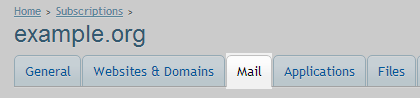
1. Go to Mail

Select - Mail


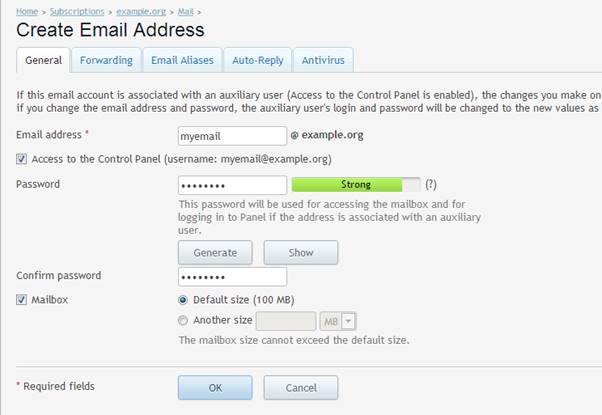
2. Click Create Email Address

Select - Add New Email


3. Set Username, Password as needed

Adding - EMail


4. You can check your email at webmail.domainname.com


  • 0 Users Found This Useful
Was this answer helpful?

Related Articles

How to bind email to Google App , G Suite in Plesk

1. Select DNS settings   2. Delete the original mx value   3. Enter the values that...

Solve the problem of not sending emails to Gmail or to the Junk, Spam box with SPF and DMARC

1. Go to the DNS Management or DNS Settings menu 2. To add SPF, proceed as follows Host or...

Powered by WHMCompleteSolution