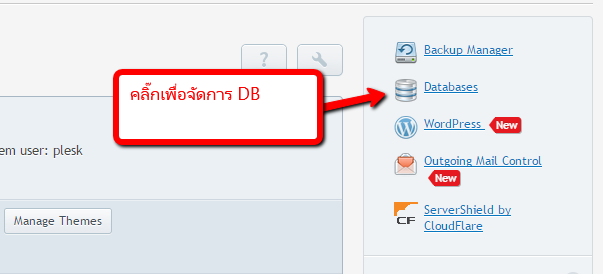
การสร้าง Database Mysql

1.คลิ๊กที่ Database

http://www.plesk.in.th/images/user/033.png


2.เลือก Add new Database เพื่อเพิ่ม DB ใหม่
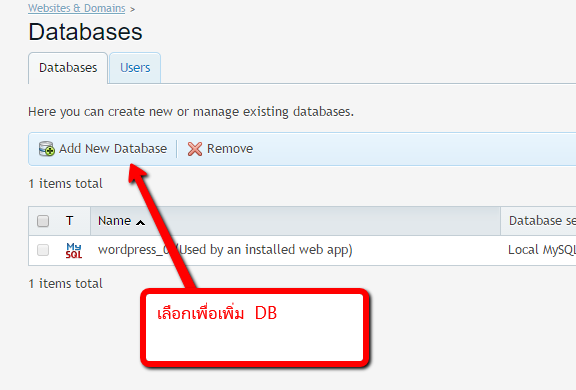
http://www.plesk.in.th/images/user/034.png


3.ใส่ Database Name  , Type , User , Password
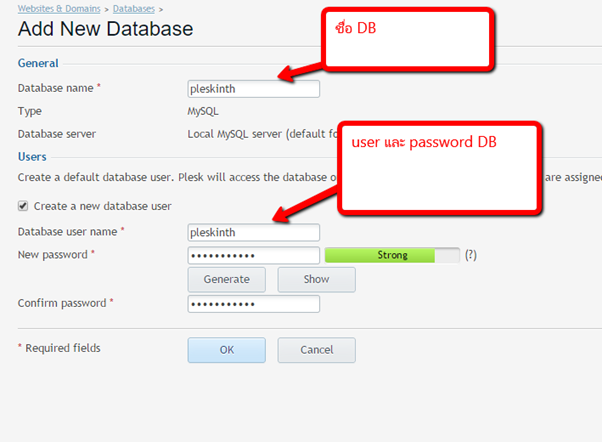
http://www.plesk.in.th/images/user/035.png


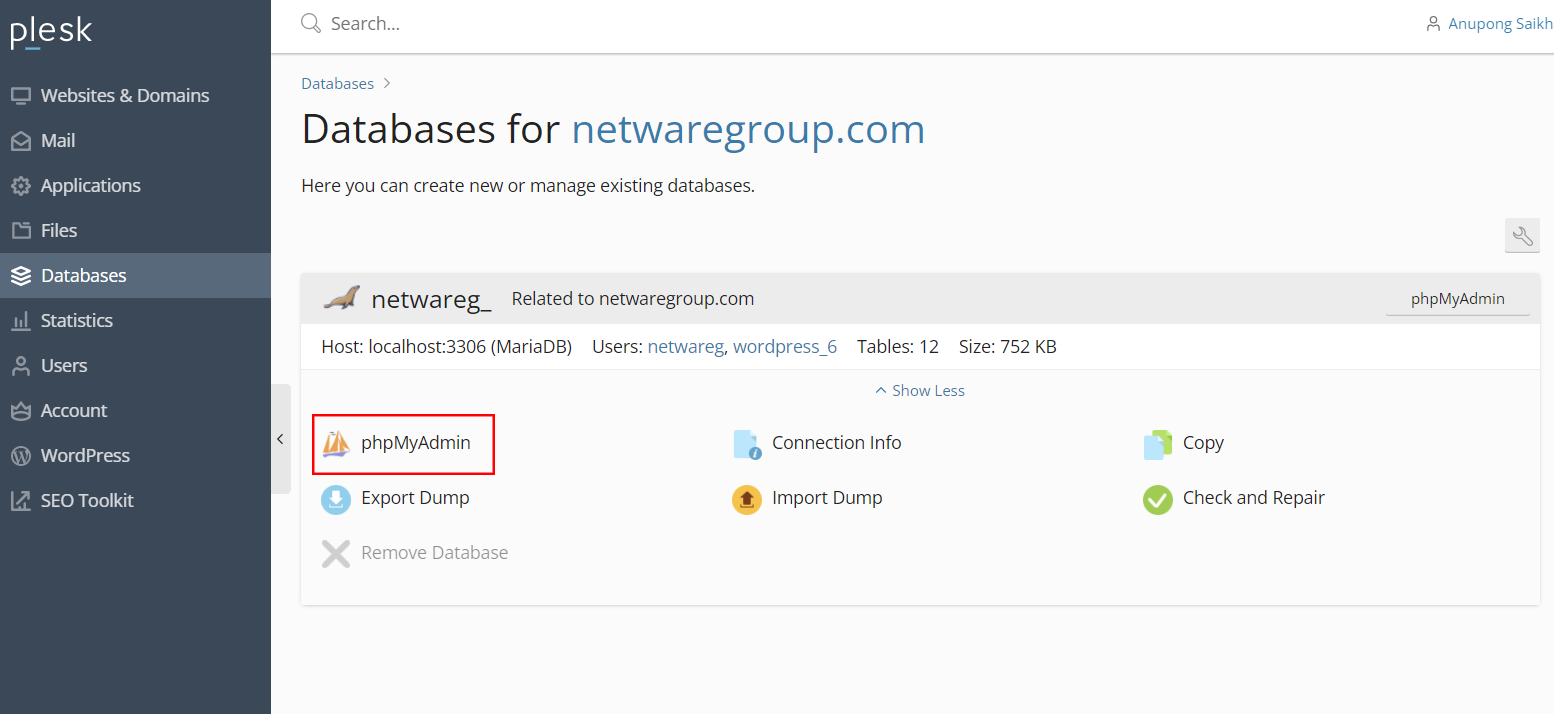
4.เข้า Phpmyadmin เพื่อจัดการฐานข้อมูล


สำหรับ connection string ให้เลียนแบบตามตัวอย่างนี้ได้เลยครับ
<add name="NAME" connectionString="Data Source=localhost\MSSQLSERVER20xx;Initial Catalog=DBNAME;User ID=DBUSER;Password=DBPASSWORD" providerName="System.Data.SqlClient" />


  • 0 Users Found This Useful
Was this answer helpful?

เรื่องที่เกี่ยวข้อง

สำรองฐานข้อมูล MySQL ด้วย Plesk

1.ไปที่เมนู Databases 2.เลือกฐานข้อมูลที่ต้องการแบคอัพ เลือก Export Dump...

การ Backup Website ด้วย Plesk

1.ตรวจสอบพื้นที่คงเหลือ ควรมากกว่า 40% ขึ้นไป   2.ไปที่ Backup & Restore หรือ Tools &...

Powered by WHMCompleteSolution