
1. Check the remaining space, it should be more than 40% or more.

2. Go to Backup & Restore or Tools & Utilities > Backup Manager.

3.Press Back UP button

Choose the part you want, you can choose as the picture below. If you want to back up all, then press OK.

4. The duration of the backup depends on the total file size. After completion, you can download the file to save by clicking the download button.
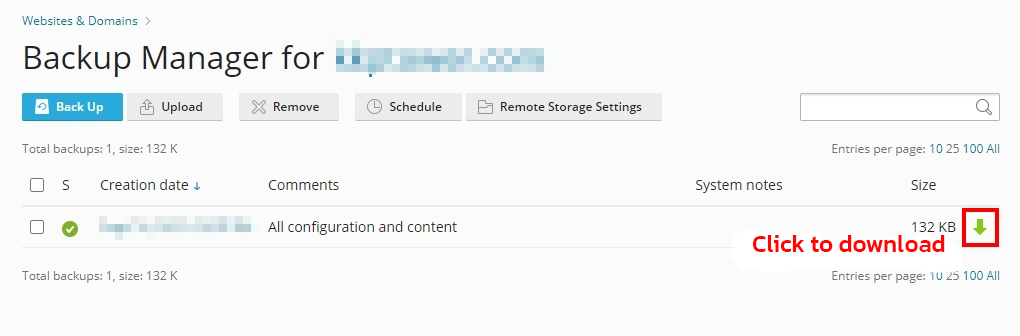
5. When downloading to store on your computer, delete the backup file to save usable space.

6. You can set the backup time at the Schedule menu // Sample image of weekly backup settings Every Sunday at 22.30.

Notes
- Backing up data (Backup) is recommended to be performed late at night or during non-user hours. to reduce server workload.
- After the backup is complete Always delete the backup files on the server. to prevent your web space from being full.
