Database creation for Mysql

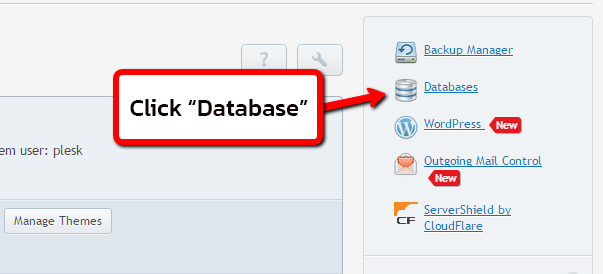
1. Click Database.


2. Select Add new Database to add a new DB.


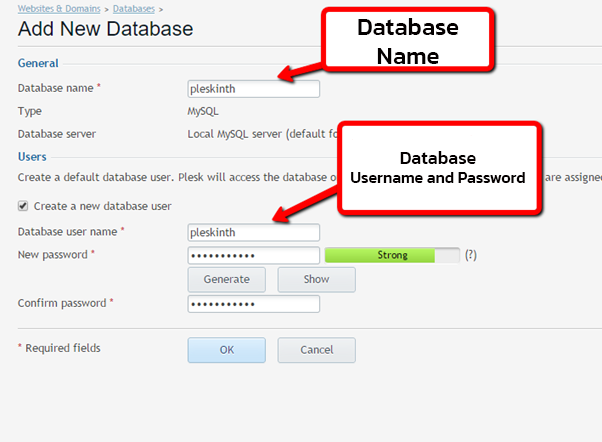
3. Enter Database Name , Type , User , Password.


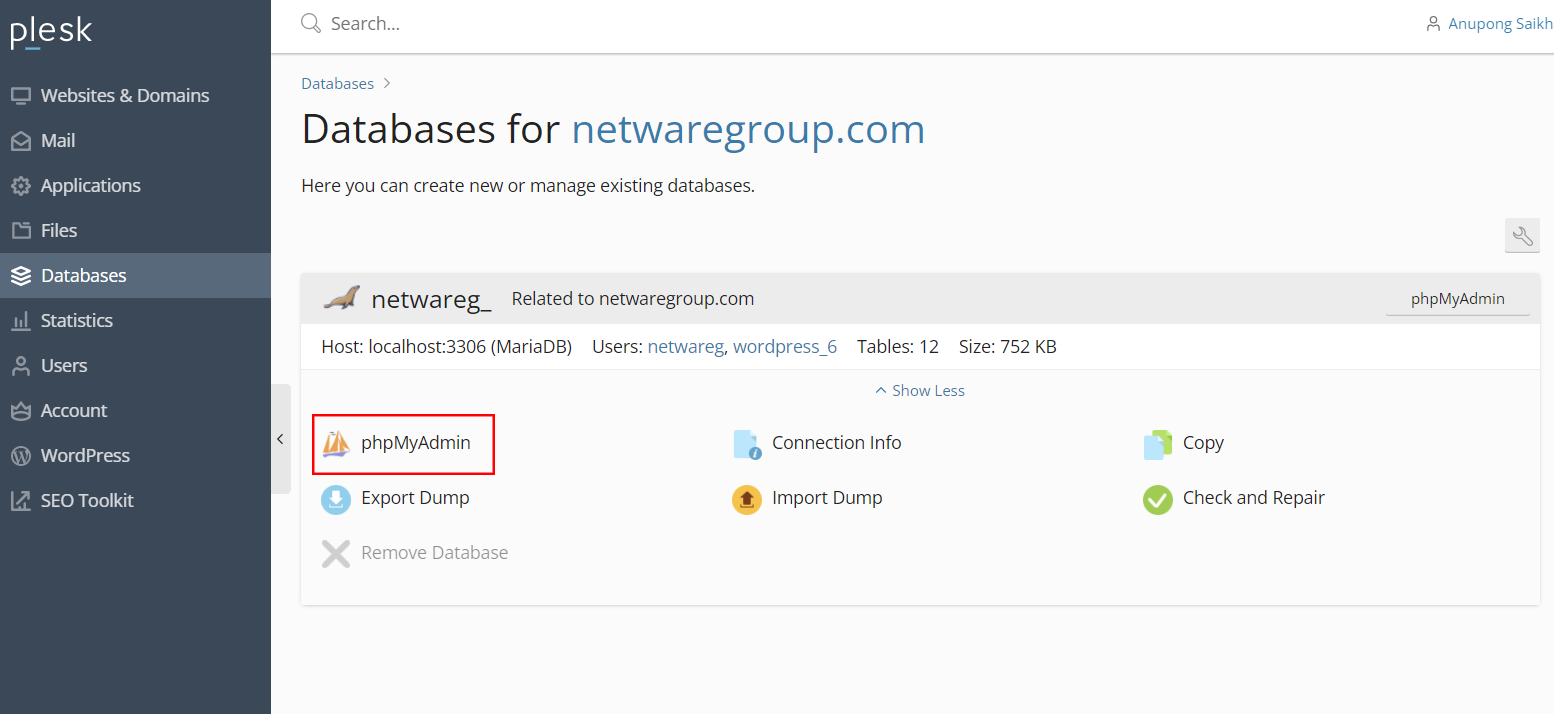
4. Enter Phpmyadmin to manage the database.


For the connection string, imitate it like this example.
<add name="NAME" connectionString="Data Source=localhost\MSSQLSERVER20xx;Initial Catalog=DBNAME;User ID=DBUSER;Password=DBPASSWORD" providerName="System.Data.SqlClient" />


  • 0 Users Found This Useful
Was this answer helpful?

Related Articles

Backing up MySQL database with Plesk

1. Go to database menu. 2. Select the database you want to back up, select Export Dump.   3....

Backing Up Your Website With Plesk

1. Check the remaining space, it should be more than 40% or more.   2. Go to Backup &...

Powered by WHMCompleteSolution